Tweet Pro Quo
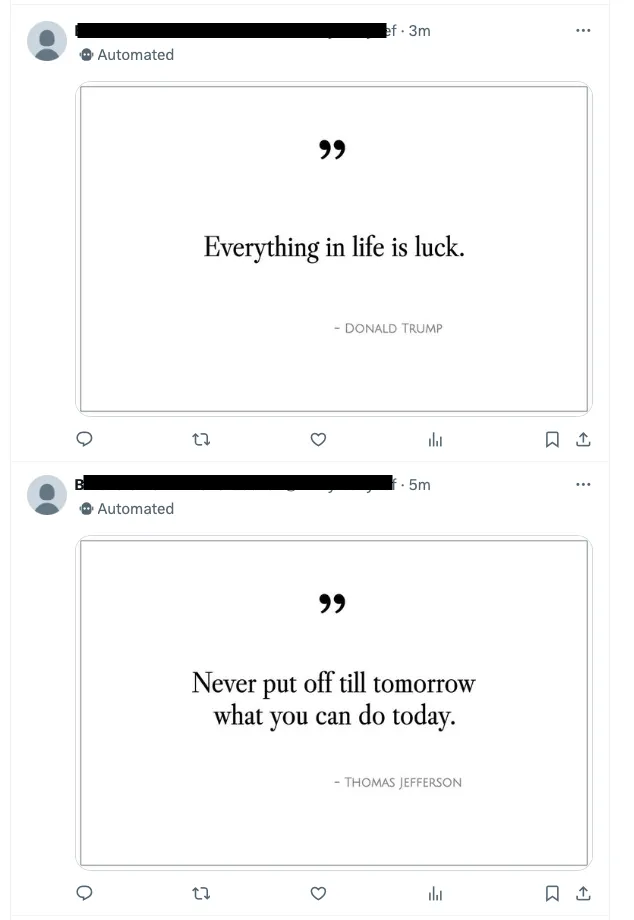
TPQ is a simple bot that produces quote images and tweets them.
What’s included
- The Astro site that comes with the repo is mostly just a place to test out any changes to the design of your tweets, and also quite possibly a place where you could post your quotes permanently, so that your tweets could include permalinks (though that’s not implemented yet).
- The
scriptsdirectory contains everything you need in order to start tweeting today. - The
post_one.tsscript creates an SVG from a React component. The SVG is then rendered as .webp before being tweeted.
Re-Designing the tweet images
- See
src/lib/ReactQuote.tsxto change the SVG layout. - See
src/lib/prepare_quote.tsto change the dimensions or characters per line. - See
src/lib/fonts/index.tsto change the fonts.
Getting Started
Install Bun
Bun is a JavaScript runtime that is excellent in many ways.
On macOS, you can get Bun through Homebrew:
brew tap oven-sh/bun
brew install bun
Otherwise
curl -fsSL https://bun.sh/install | bash
Clone this repo and install deps
git clone https://github.com/tylergannon/tweet-pro-quo.git
cd tweet-pro-quo
bun install
cp .env.example .env # This will prepare your .env file which will hold sign-in keys.
Set up your quotes
You need a CSV file with three columns and labeled header row with Author, Quote, and Year:
Quote,Author,Year
"Genius is one percent inspiration and ninety-nine percent perspiration.","Thomas Edison",
"You can observe a lot just by watching.","Yogi Berra",c. 1970
"A house divided against itself cannot stand.","Abraham Lincoln",1860
"Difficulties increase the nearer we get to the goal.","Johann Wolfgang von Goethe",
"Fate is in your hands and no one elses","Byron Pulsifer",
Note that the year is optional but the column should be present.
From your project root directory:
scripts/load_data.ts [path_to_csv_file]
Set up your twitter account
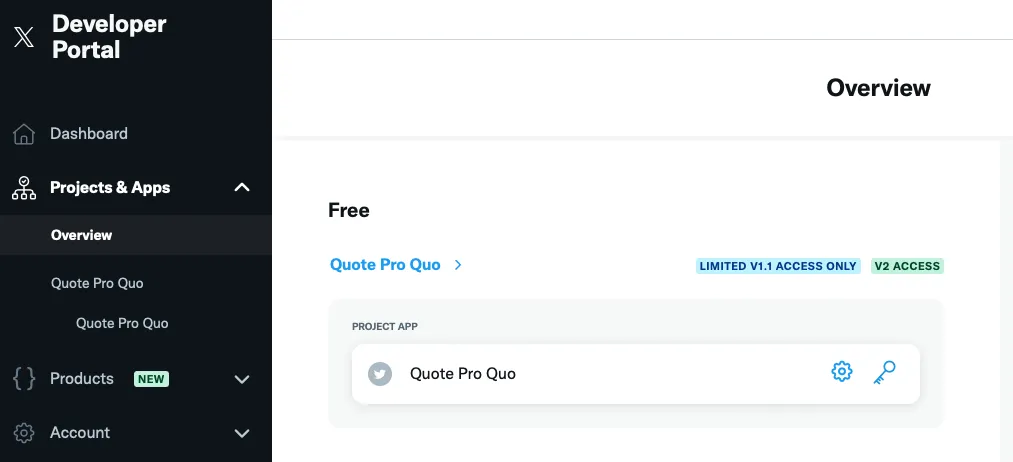
- Go to twitter developer site and log in as the bot user.
- Create a project. Make sure it has “Limited v1.1 access” and “v2 access”:
- Go into Twitter settings as the bot user and make the account a “managed account”.
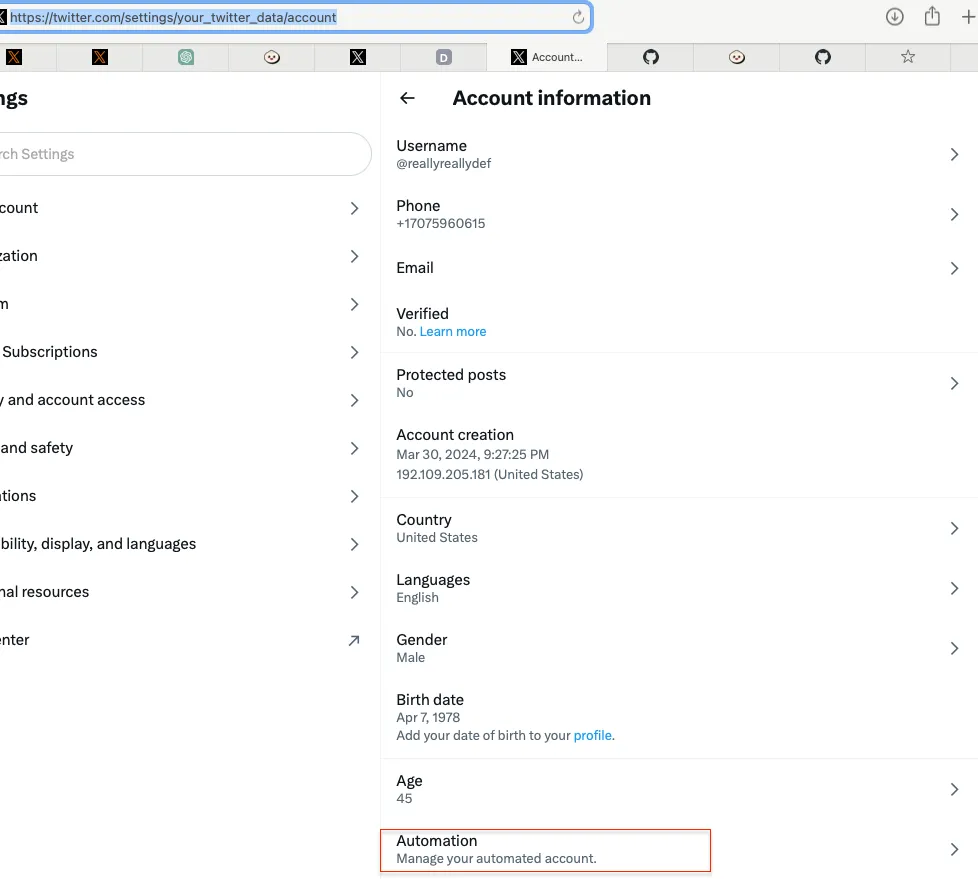 Follow instructions there and set up a “Managing Account” for the bot.
 - Obtain your OAuth sign in keys and store them in your .env file.
From the “Keys and tokens” tab, click on generate/regenerate. Place the resulting values inside of .env
as
TWITTER_CONSUMER_KEYandTWITTER_CONSUMER_SECRET.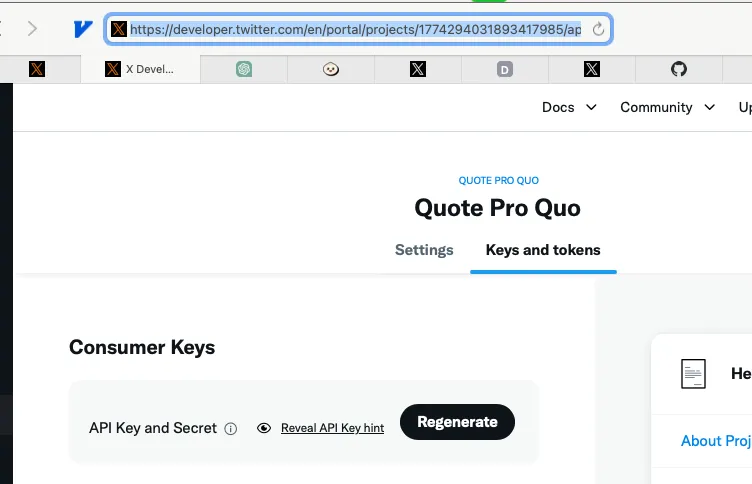
Log in the client
From your terminal:
./scripts/login.ts
Follow the instructions there. You’ll follow a link to Twitter and return with a pin code that the software will use to generate its semi-permanent access tokens. The script will spit out some info like this:
####  Login Successful.   ##########
Add the following to your .env file:

echo "TWITTER_OAUTH_TOKEN=3425256123452346137-21HK9vmRB5FZpGQlLawNJTUSMZvdNr" >> .env
echo "TWITTER_OAUTH_SECRET=Lf3C3XPPGE2234jkl256hl1234kj12341234QlXJ1hkyt" >> .env

####################################
As noted, that information should go into your .env file.
Send a tweet!
./scripts/post_one.ts
This will take a random quote from your database and tweet it, and also mark the record so that it won’t be used again until later.
Start counting RT’s!!!!